
Shiftwheel · Windows app
File conversion · by ThinkFlow
Drag. Tap Shift. Done.
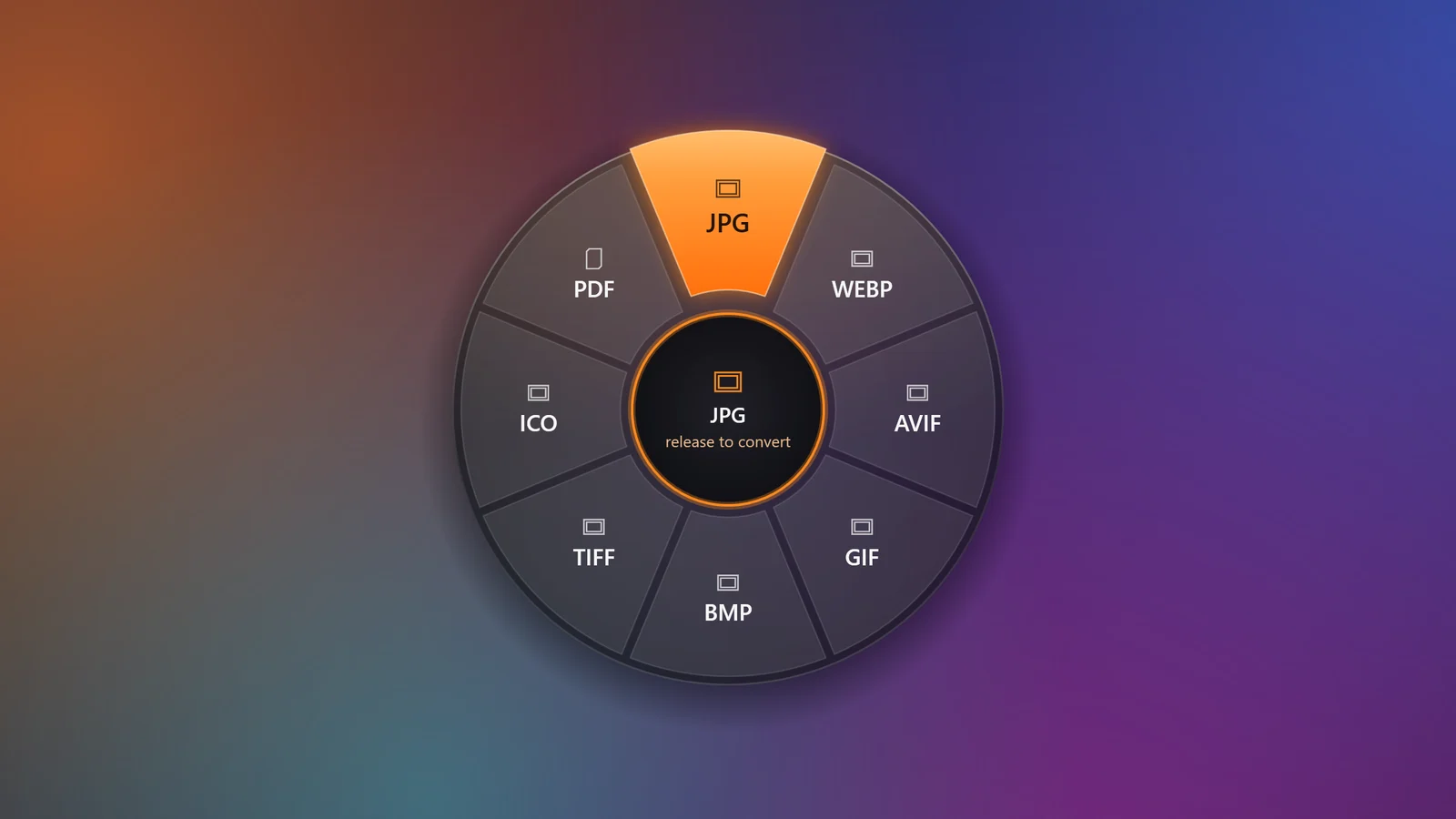
Shiftwheel converts files in the middle of a drag. Start dragging a photo, video, song or document, tap Shift, and drop it on the format you need. It lives in your system tray and works entirely on your PC.
- ✓ Works offline
- ✓ No uploads
- ✓ Images · Video · Audio · Docs
- ✓ Windows 10 and 11
Free · version 0.1.0 · 224 MB · Windows 10 and 11, 64-bit
♥ Shiftwheel is free for you to download here. If it saves you time and you'd like to support its development, it will also be on the Microsoft Store for $2.99 soon, with automatic updates and no Windows security warning.

How it works
Three moves. No app to open.
- 01
Start dragging a file
From File Explorer, the desktop, a browser download bar or any app that lets you drag files.
- 02
Tap Shift
Press and let go of Shift while you're still holding the mouse button. The format wheel opens under your cursor.
- 03
Drop on a format
Let go over JPG, MP4, MP3, PDF or another slice. The converted copy appears next to the original a moment later.
Features
Built for people who move files all day
A wheel, right where you are
No app to open and no menu to dig through. The wheel appears under your cursor in the middle of the drag you already started.
Formats that fit the file
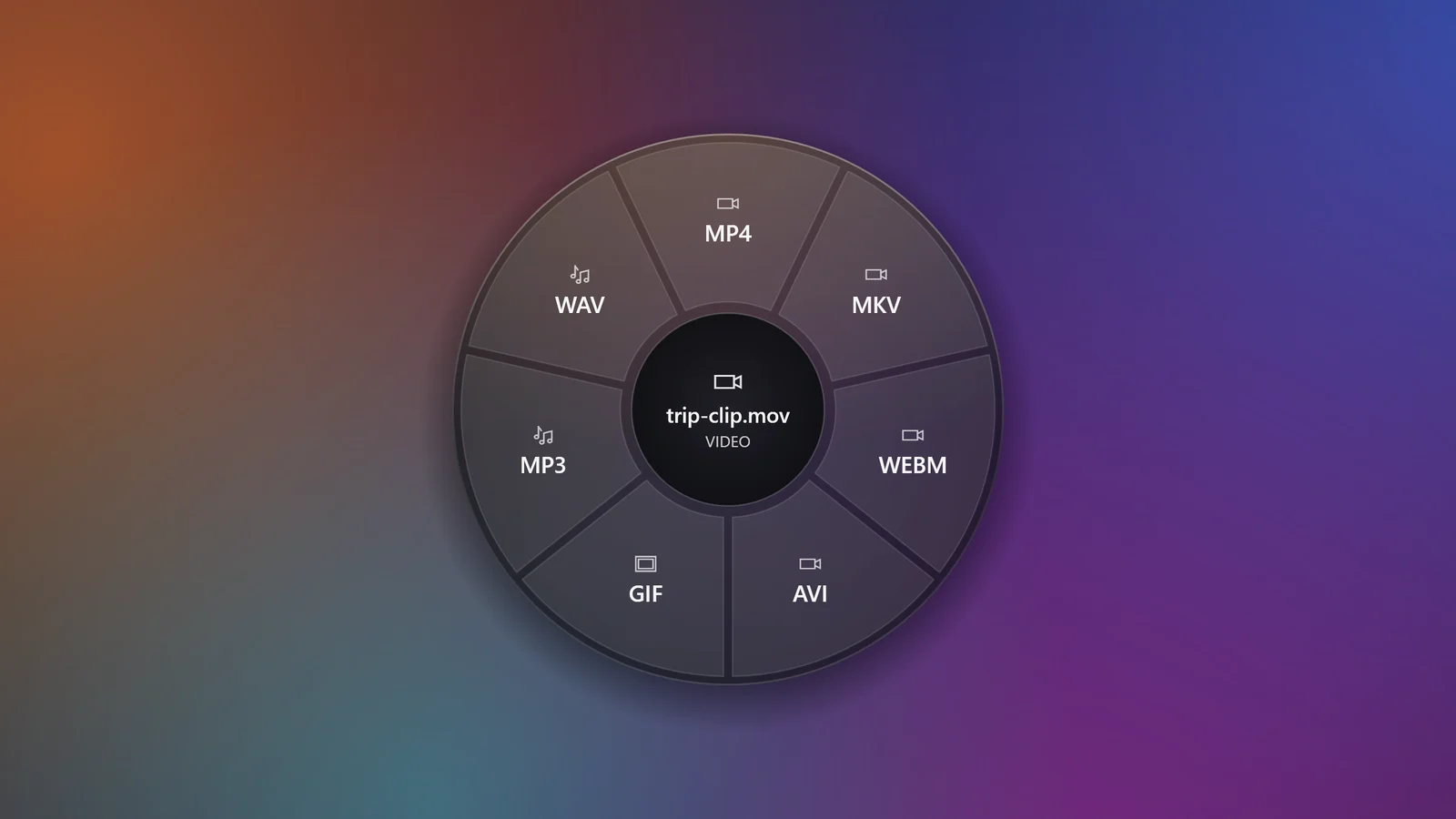
Images get image formats, videos get video and audio, documents get PDF and Office. Drop several files and you see what they all share.
Offline and private
Conversion happens on your PC with built-in FFmpeg and ImageMagick. Your files are never uploaded, and the app needs no internet.
Originals stay untouched
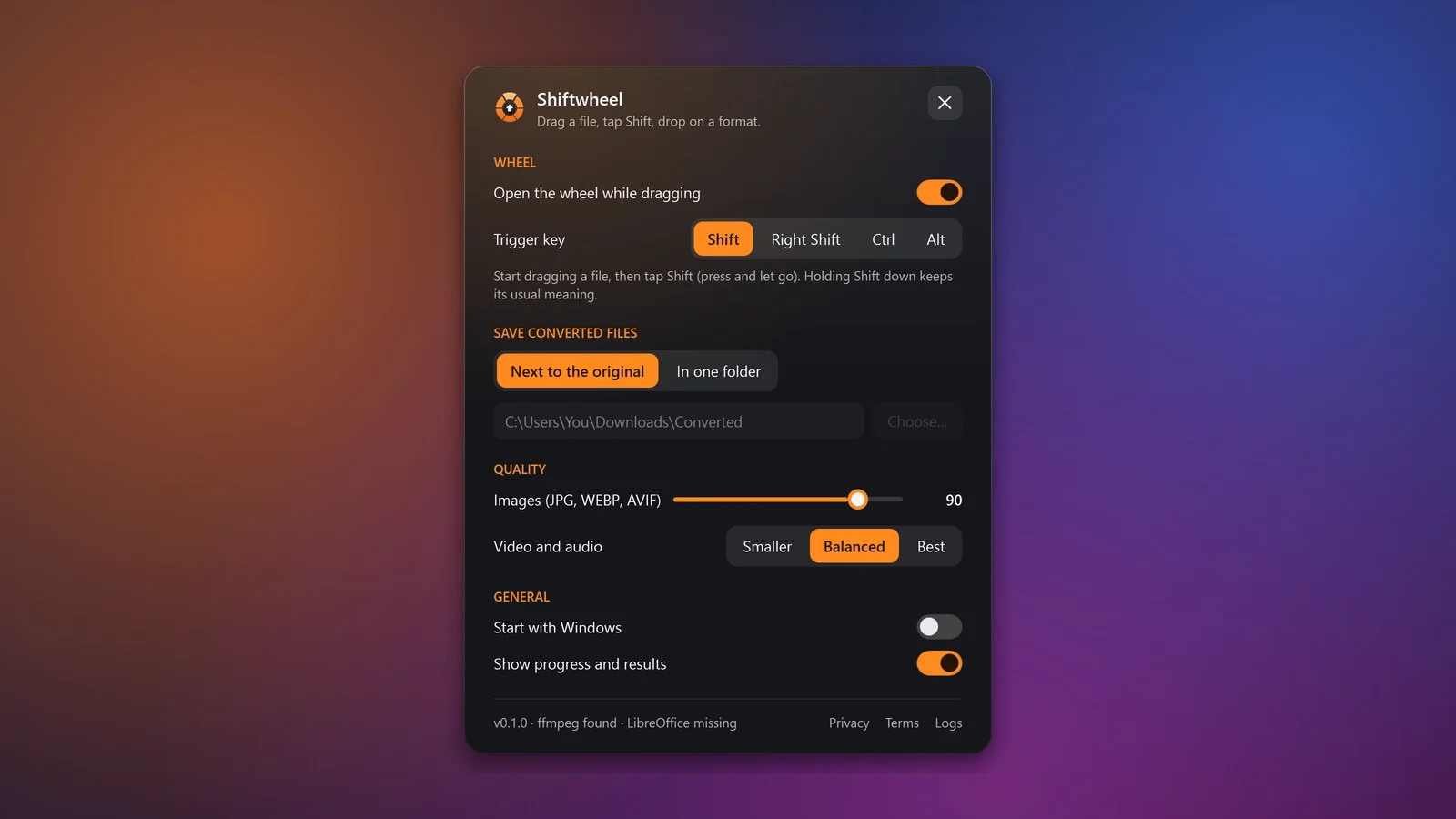
Shiftwheel always writes a new file and never overwrites one: photo.jpg, then photo (1).jpg. Save next to the original or in one folder.
Your key, your way
Tap Shift, Right Shift, Ctrl or Alt. A tap opens the wheel; holding Shift still moves files in File Explorer as it always has.
Frosted glass, gentle motion
A glass wheel that blooms open, slices that lift under your cursor, and a quiet notification when the file is ready.
Screenshots
Shiftwheel, up close

Formats
What it converts
| Drop a file of type | Convert it to |
|---|---|
| Images: PNG, JPG, WEBP, HEIC, AVIF, GIF, BMP, TIFF, ICO, SVG, PSD | PNG, JPG, WEBP, AVIF, GIF, BMP, TIFF, ICO, PDF |
| Video: MP4, MOV, MKV, WEBM, AVI, WMV and more | MP4, MOV, MKV, WEBM, AVI, GIF, MP3, WAV |
| Audio: MP3, WAV, M4A, FLAC, OGG, OPUS, AAC, WMA | MP3, WAV, M4A, FLAC, OGG, OPUS, AAC |
| Documents, spreadsheets and slides* | PDF, DOCX, ODT, RTF, TXT, HTML, XLSX, ODS, CSV, PPTX, ODP |
* Converted with the LibreOffice suite built into Shiftwheel, or with Microsoft Office when it is installed.
Download
Free for Windows. Set up in a minute.
- 01
Download the installer
Shiftwheel-Setup.exe (224 MB). Everything it needs is inside, so there is nothing else to install.
- 02
Run it
If Windows shows “Windows protected your PC”, click More info, then Run anyway. It installs for your account only, with no admin prompt.
- 03
Look for the tray icon
Shiftwheel starts right away and sits next to the clock. Drag any file, tap Shift, and the wheel opens.
Version 0.1.0 · 224 MB · Windows 10 (1809 or later) and 11, 64-bit
♥ Shiftwheel is free for you to download here. If it saves you time and you'd like to support its development, it will also be on the Microsoft Store for $2.99 soon, with automatic updates and no Windows security warning.
Private by design
Your files never leave your PC
Online converters upload your photos, videos and documents to someone else's server. Shiftwheel converts them right where they are, with no account and no internet connection.
Read the privacy policy →- Account
- Not needed
- Uploads
- None
- Internet connection
- Not needed
- Analytics and tracking
- None
- Your originals
- Never changed
Questions
Is Shiftwheel free?+
Yes. The download on this page is free, with every feature. The Microsoft Store edition is the same app for $2.99: buying it there supports development and gets you automatic updates.
Are my files uploaded anywhere?+
No. Shiftwheel converts files on your own PC with components that ship inside the app. It doesn't need an internet connection and has no account, analytics or tracking.
Does it record what I type?+
No. To know when to open the wheel it only checks one thing: whether your trigger key was tapped while a mouse button is held during a drag. Keystrokes are never recorded, stored or sent.
Will Shift-drag still move files in File Explorer?+
Yes. The wheel opens on a quick tap. If you hold Shift down while dragging, Windows moves the file as usual and Shiftwheel stays out of the way. You can also pick Right Shift, Ctrl or Alt instead.
What happens to the original file?+
Nothing. Shiftwheel always writes a new file and never overwrites an existing one. Converting can lose quality or metadata, so keep the original if you might need it.
Can it convert Word, Excel and PowerPoint files?+
Yes, with nothing else to install: Shiftwheel ships with LibreOffice built in. If Microsoft Office is installed on your PC, Shiftwheel uses it instead for the most faithful result.
Why does Windows warn me when I run the installer?+
Windows SmartScreen warns about apps it hasn't seen many people download yet, and about installers without a paid code-signing certificate. Click More info, then Run anyway. The Microsoft Store version doesn't show this warning.
Which Windows versions are supported?+
Windows 10 (version 1809 or later) and Windows 11, on 64-bit PCs.
Read the Shiftwheel Privacy Policy.